Small Business Spreadsheet: One File for Orders, Customers, Invoices and Pricing
Small business spreadsheet: the 5 tabs a small seller needs (orders, customers, invoices, pricing, mileage) and how one $201.48 sale moves through all of them.
By Small Business Bundle by Cosmo Suite · Editorial policy
Published · 9 min read
A small business spreadsheet is one file where a sale is typed once. It then shows up everywhere it is needed, such as the order list, the customer record, the invoice, the price check and the mileage log.
Most sellers don't work that way. They have an order list in one place, invoices in another, a pricing guess in their head and a mileage note on their phone. Each of those is reasonable on its own. Taken together, they mean typing the same sale three times, in three different places.
You can fix that with five connected tabs that communicate with each other automatically. Below is what each tab does, one sale followed through all five, and when a spreadsheet is the wrong tool.
In Short: keep one tab per job (orders, customers, invoices, pricing, mileage), link the tabs, and type each fact once.
What Goes in a Small Business Spreadsheet: One Sale, Five Tabs
Each tab holds one job, and one sale touches all of them. For example, take a seller of hand-poured candles who takes an order for 4 blueberry candles and drives 12 miles to deliver it.
Here is the same sale followed through each tab of the sample file. Every figure was recomputed by hand:
| Tab | What you type | What the file works out | Example (illustrative) |
|---|---|---|---|
| Pricing | Materials, labor, equipment, other costs, batch size | Selling price, net price, real profit per item | $50.37 selling price, $19.28 real profit per candle |
| Orders | Item, quantity, customer, date | Order total, status, month totals | 4 × $50.37 = $201.48 |
| Customers | Name and contact details once | Orders and total spend per customer | Customer A: 1 order, $201.48 |
| Invoice | Nothing new, it reads the order | Subtotal, tax, total, due date | $183.16 + $18.32 tax = $201.48 |
| Mileage | Date, miles, purpose | Cost of the trip from your per-mile rate | 12 miles × $0.70 = $8.40 |
How the numbers were made: the candle numbers come from the sample in the Pricing Calculator tab of Small Business Bundle's linked spreadsheets: a batch of 10 candles, a 10% sales tax setting (sample values, read 5 October 2026) and a $0.70 per mile sample rate. Your own figures replace them.
The check that catches most errors is a three-way match: the order total, the invoice total and the pricing tab's selling price multiplied by quantity must all equal $201.48. When two of the three agree, the third holds the typo. Three separate files make this check hard, because you would be comparing numbers across windows.
Five tabs may sound like a considerable amount of work, but each one answers a single question. What should I charge? Who ordered what? What do I send? What did the trip cost?
Start With the Price, Not the Order List
Pricing comes first because every other tab depends on it. If the price is wrong, a full order book only means you are losing money more quickly.
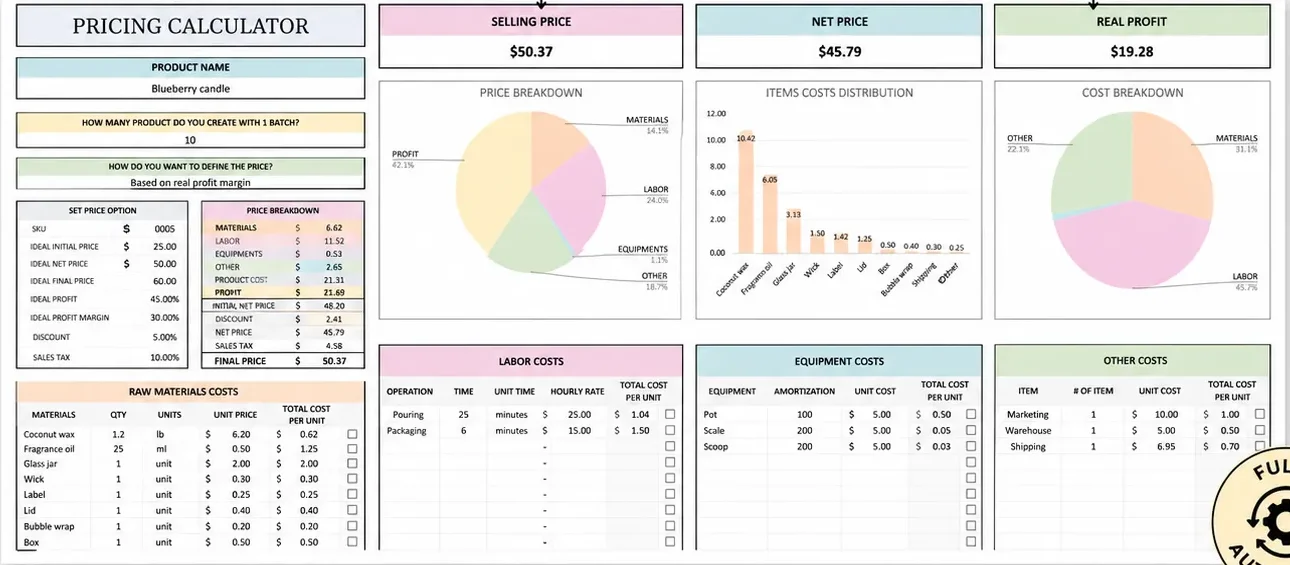
Consider what a price has to cover. Four things: materials, your time, equipment wear and the small extras like packaging and shipping. In the candle example, materials are $6.62 of the unit cost, labor is $11.52 and equipment $0.53. A seller who counts only the wax and jars sees about a third of the real cost.
Imagine putting every cost into a pricing tab, letting it add them up per item, and then choosing a target. The net price is the price before sales tax, and it is the number that goes on the invoice as the unit price. The sheet below picks the price from a profit margin you set. The tab offers up to 5 pricing methods, but one is enough to start.
Use it when: you sell a made item and have never added up your own hours.
Orders and Customers: Type Each Fact Once
An order tab lists what was sold, how many, to whom and whether it is paid. A customer tab holds the name and contact details one time. The order then points at the customer rather than repeating the address.
This is where most homemade files start to break. Someone types "Customer A" in three different ways and the totals split. Use a dropdown for the customer and for the payment status (unpaid, partly paid, paid), and the monthly totals remain trustworthy.
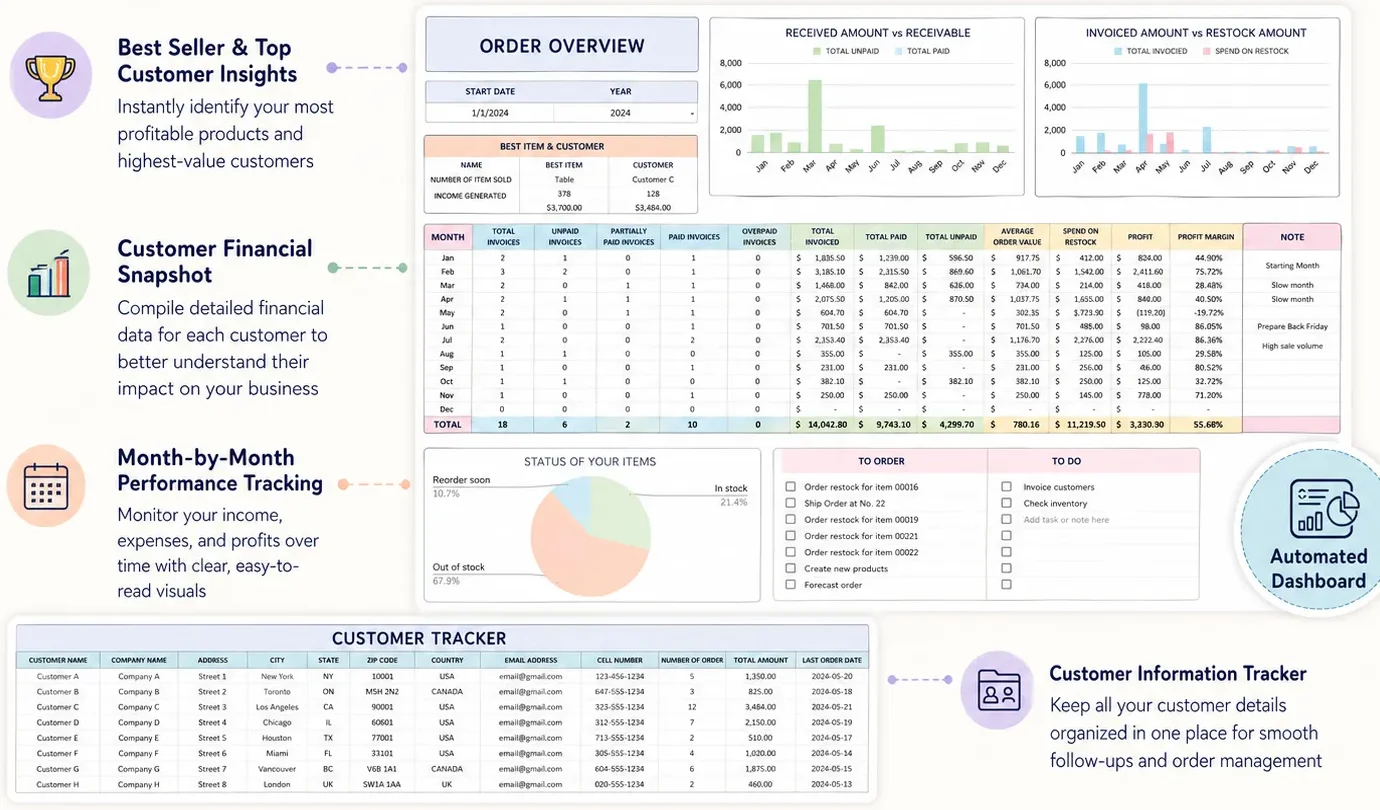
In the sample file, 18 invoices across the year total $14,042.80, with $9,743.10 paid and $4,299.70 still unpaid. Those are sample numbers, but the point is real: the unpaid column is the one that tells you whom to chase.
Use it when: you take orders by message, at markets or through a shop and lose track of who has paid.
Invoices: Read the Order, Don't Retype It
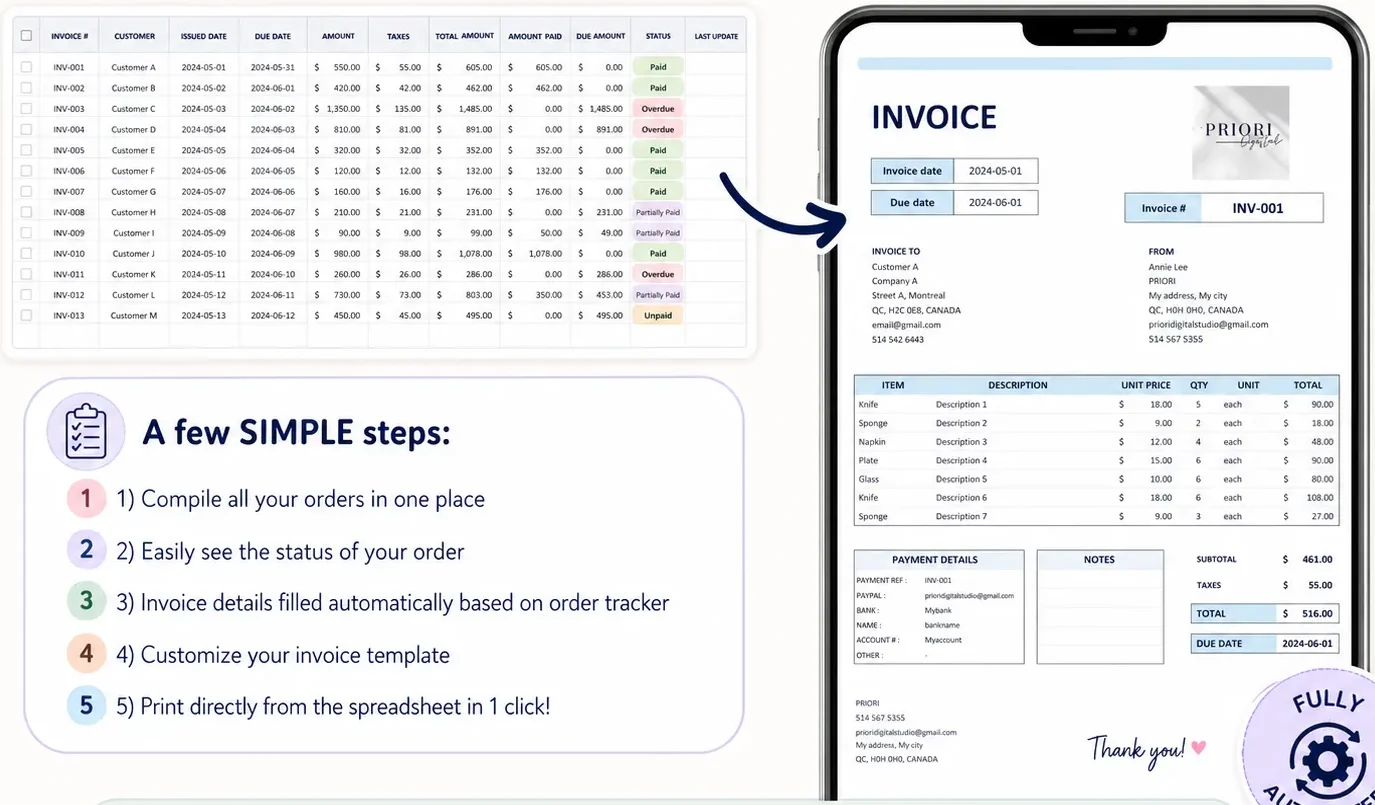
An invoice built from the order needs no new typing. The file pulls the item, quantity, price and tax, adds a due date and prints.
The most important verification is the arithmetic. In the example, 4 candles at the $45.79 net price is $183.16. Sales tax at 10% is $18.32. The total is $201.48, the same number as the order. If the invoice and the order ever disagree, one of them contains a typographical error.
Microsoft's free template gallery has basic invoice and inventory templates, which are a fair start. They are separate files, so the invoice won't read your order list. That linking is what you gain from one connected workbook.
Use it when: you invoice more than a few clients a month and want the status in one view.
Mileage: The Smallest Tab That Pays for Itself
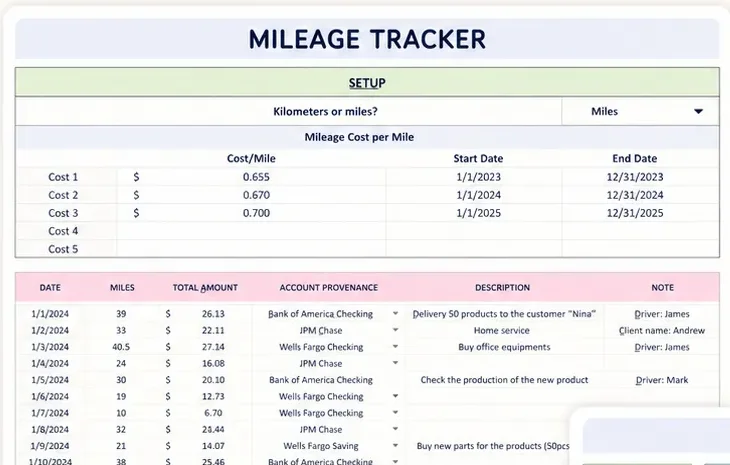
A mileage tab needs four columns: date, miles, where and why. The sheet multiplies miles by a per-mile rate you enter.
The IRS publishes a business rate, in cents per mile, and has updated it mid-year in 2026, so check the current standard mileage rate before you fill the cell in. The sample file uses $0.70 only as a placeholder. Twelve miles at that rate is $8.40, and one delivery a week adds up over a year.
Log each trip as you go, particularly on delivery days, because remembering it later is unreliable. A trip documented the same day is considerably easier to trust than a reconstruction at tax time. Ask your tax professional what your own situation allows.
Use it when: you drive to deliver, to buy supplies or to reach a market.
What Actually Keeps a Spreadsheet Alive
Spreadsheets like this often get abandoned within a couple of months. The cause is rarely a broken formula. Why does that happen? Four habits keep one going:
- One place per fact. If a price appears in two tabs, you will update one and forget the other.
- Dropdowns, not free text. Status and category lists stop "paid", "Paid" and "pd" from becoming three groups.
- A five-minute weekly routine. Add the week's orders, mark what's paid, log the miles. Skipping a month is what ends it.
- A starting point that already links. Building the connections yourself is the part that consumes entire evenings. A ready-made set of linked business tabs skips it.
According to the IRS recordkeeping guidance, you may choose any recordkeeping system that "clearly shows your income and expenses". It also says to keep employment tax records for at least 4 years. A linked workbook is a spreadsheet in which one tab reads another, and a tidy one qualifies. A pile of unlinked notes is the thing that doesn't.
When a Spreadsheet Is the Wrong Tool
A spreadsheet does not process card payments, collect electronic signatures or provide clients with a login. If you need those, an app like HoneyBook or Dubsado is the right pick, and you should pay for it.
If what you need is to price, track orders, invoice and log miles, a spreadsheet does the job without a monthly fee. Many sellers eventually use both: an application for payments and a spreadsheet for the numbers.
Why Trust This Article
We are the Cosmo Suite team that built Small Business Bundle, so we have an interest in you using a spreadsheet. How we checked: the recordkeeping and mileage points come from IRS pages checked on 5 October 2026. We recomputed every candle figure by recomputing it from the 10-candle sample in our Pricing Calculator tab (for example $183.16 + $18.32 = $201.48). The candle figures are sample data, not results from customers. Every post follows our editorial policy, and you can read about us and how to contact us there. We fact-check each figure against its source before publishing. This is general information, not tax advice, so verify with your tax professional before you act.
How Small Business Bundle Handles This
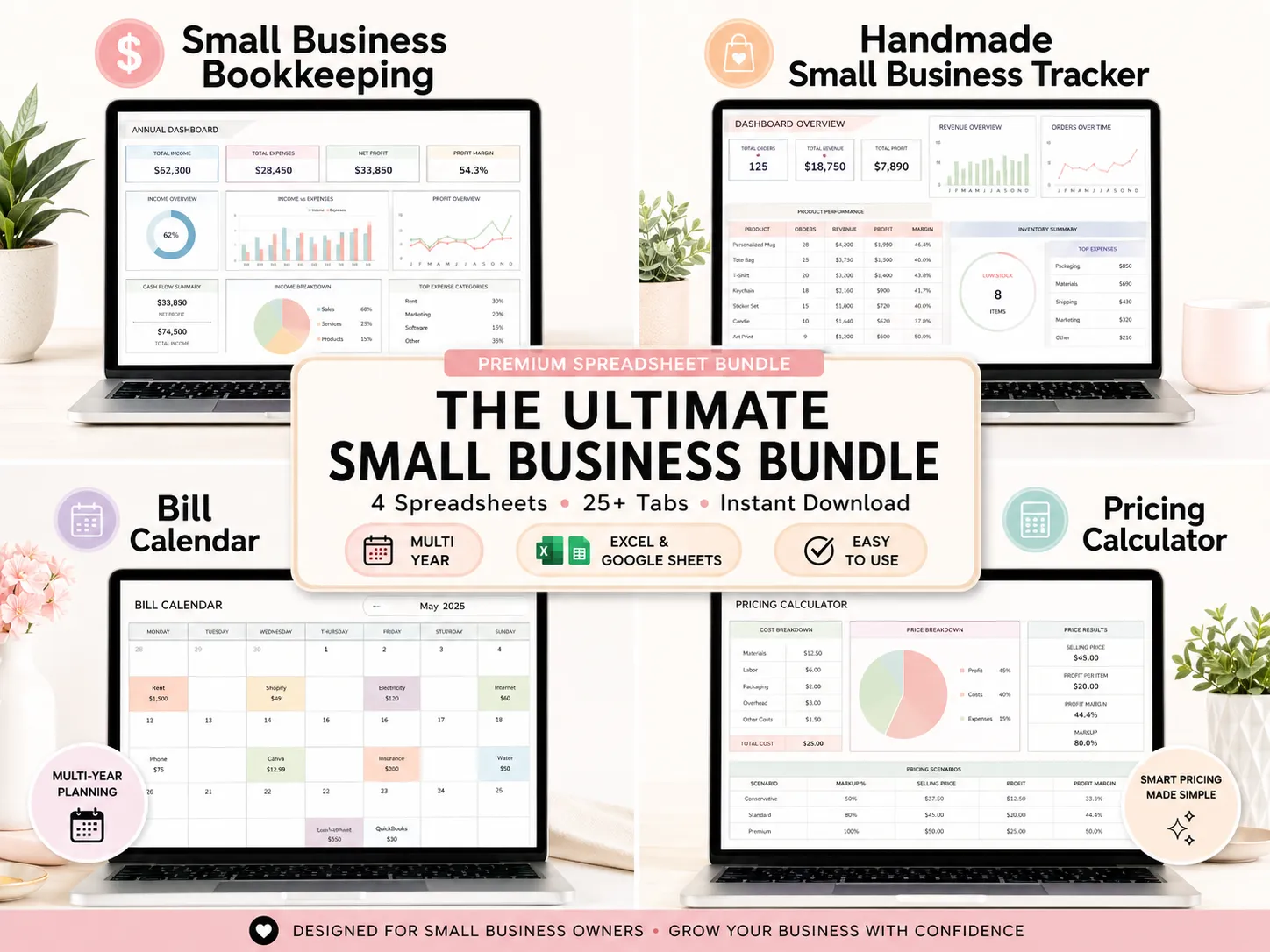
The bottleneck for most small sellers is typing the same sale in several places. Small Business Bundle is 4 linked spreadsheets with 25+ tabs, for Excel 365 and Google Sheets, sold as one instant download.
For the five jobs above it includes the Order & Customer Tracker (9 tabs, with an automated invoice generator) and the Pricing Calculator (3 tabs, with up to 5 pricing methods and a profit margin view). A Mileage Tracker tab is included as well. A setup PDF and a step-by-step video tutorial come with it.
It is not accounting software, a payment processor or an online store. If you want orders, invoices, pricing and mileage in one file you own, it is a one-time purchase rather than a monthly subscription. Excel and Google Sheets are trademarks of their owners, and we are not affiliated with them.
Frequently Asked Questions
What should a small business spreadsheet include?
Five things cover most small sellers: an order list, a customer list, an invoice, a pricing sheet and a mileage log. The IRS only asks for a system that clearly shows your income and expenses, so start with these five and add tabs when a real need appears.
Is a spreadsheet enough, or do I need an app?
It depends on what you need done for you. A spreadsheet is enough to track orders, send invoices and work out prices. An app is better if you need to take card payments, e-sign contracts or give clients a login. Many sellers use a sheet for the numbers and nothing else.
Should I use Excel or Google Sheets?
Either works. Excel suits you if you like working offline and already have it. Google Sheets is free in a browser and easy to open on a phone. Small Business Bundle comes in both formats, so you can switch later without retyping anything.
How many tabs is too many?
There is no magic number. What matters is one tab per job (orders, customers, invoices, pricing, mileage) and each figure typed once, with the other tabs reading it. If you copy the same number into a second tab by hand, that is the sign the file needs better links, not fewer tabs.
How long should I keep my business records?
Keep them as long as you need them to prove income or deductions on a tax return. The IRS says the length depends on the document, and employment tax records need at least four years. Ask your tax professional for your own case.
How do I stop a spreadsheet from turning into a mess?
Type each fact exactly once, in a single location, and let the other tabs read it automatically. Use dropdowns for status and category, never free text. Create a backup copy of the file every week. A ready-made file helps because the links between tabs already exist.
Frequently asked questions
What should a small business spreadsheet include?
Five things cover most small sellers: an order list, a customer list, an invoice, a pricing sheet and a mileage log. The IRS only asks for a system that clearly shows your income and expenses, so start with these five and add tabs when a real need appears.
Is a spreadsheet enough, or do I need an app?
It depends on what you need done for you. A spreadsheet is enough to track orders, send invoices and work out prices. An app is better if you need to take card payments, e-sign contracts or give clients a login. Many sellers use a sheet for the numbers and nothing else.
Should I use Excel or Google Sheets?
Either works. Excel suits you if you like working offline and already have it. Google Sheets is free in a browser and easy to open on a phone. Small Business Bundle comes in both formats, so you can switch later without retyping anything.
How many tabs is too many?
There is no magic number. What matters is one tab per job (orders, customers, invoices, pricing, mileage) and each figure typed once, with the other tabs reading it. If you copy the same number into a second tab by hand, that is the sign the file needs better links, not fewer tabs.
How long should I keep my business records?
Keep them as long as you need them to prove income or deductions on a tax return. The IRS says the length depends on the document, and employment tax records need at least four years. Ask your tax professional for your own case.
How do I stop a spreadsheet from turning into a mess?
Type each fact exactly once, in a single location, and let the other tabs read it automatically. Use dropdowns for status and category, never free text. Create a backup copy of the file every week. A ready-made file helps because the links between tabs already exist.