How to Find Repeat Customers in a Small Business
repeat customers are easier to spot when each order has one customer record. Learn a simple spreadsheet check, a worked example, and a useful next step.
By Small Business Bundle by Cosmo Suite · Editorial policy
Published · 7 min read
A repeat customer is someone who completes more than one separate purchase from your business. You can find one by matching each order to a customer, counting completed orders, and checking the last order date.
If you sell candles at markets, by message, and through a shop, the same method works. You don't need a customer platform to start. A clean order list shows who came back and helps you choose what to do next.
Counting is easy. Keeping one person's orders under one name, and keeping two payments from looking like two orders, takes more care. A short check catches both.
In Short: use one row per completed order, keep customer names or IDs consistent, count orders, then review the last purchase before you contact anyone.
If you are tired of matching names by hand, Small Business Bundle's order and customer tracker keeps order and customer details together. You still decide which orders count and whether a follow-up makes sense.
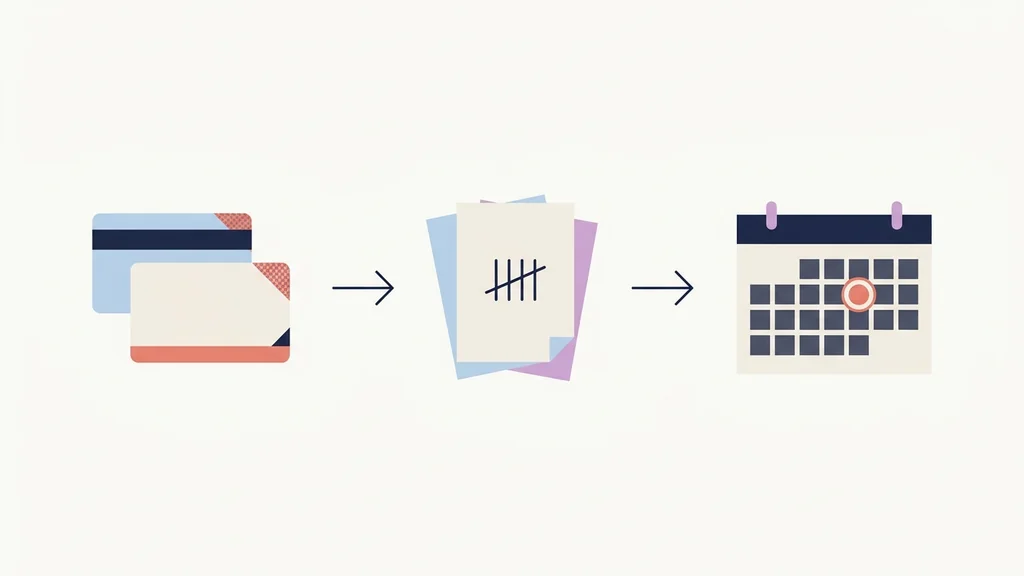
Find repeat customers in three checks
Start with the order list. Match each order to a customer, count purchases rather than payment events, and look at when the customer last bought. This gives you a practical list without trying to rank your buyers.
| Check | What to look at | What it tells you |
|---|---|---|
| Match | Same customer name or customer ID on each order | Whether separate rows belong to one person |
| Count | Number of completed orders for that customer | Whether they purchased more than once |
| Review | Date and item from the latest order | Whether a personal follow-up makes sense |
The list is only as useful as its rows. A spelling change can hide a returning buyer. A deposit and final payment can make one order look like two. Check the order details before you trust a count.
If you are still building your records, this guide to a small business spreadsheet for orders and customers shows how one sale can be entered once and kept with the right customer.
Start with clean order rows
Put each separate order on its own row. Include the order date, customer name or ID, item, quantity, and order status. Add a payment field if you need it, but do not use payment rows as the count of purchases.
Here is a short, made-up example for a seller of small-batch soap and candles. It is only an illustration, not customer data or a sales result.
| Order date | Customer | Item | Order status |
|---|---|---|---|
| Aug 4 | Aster Studio | Candle | Complete |
| Aug 9 | Mira Lane | Soap set | Complete |
| Sep 12 | Aster Studio | Wick refills | Complete |
| Sep 20 | Juniper Card | Journal | Complete |
| Oct 3 | Mira Lane | Lotion bar | Complete |
| Oct 12 | Aster Studio | Candle | Complete |
In this sample, Aster Studio has three completed orders. Mira Lane has two. Juniper Card has one. The first two are repeat customers under this simple definition.
The same rule works when a customer pays in parts. Mira places one $40 order, pays a $15 deposit, then pays the remaining $25 when it is ready. That's one order. Count it once when the order is complete. Counting each payment makes one purchase look like two.

The tracker image shows sample content, not customer records.
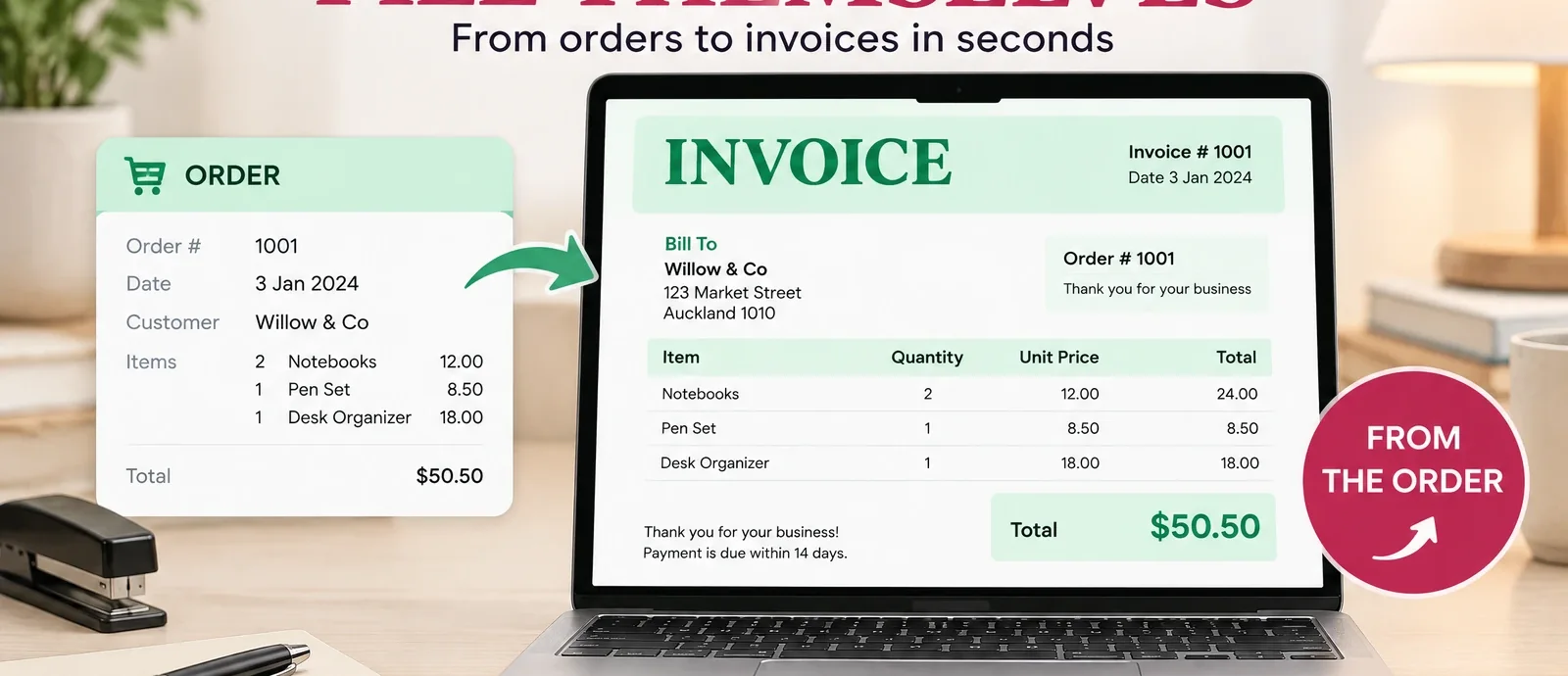
This invoice preview uses sample content. One invoice still belongs to one order, even when payment arrives in parts.
Keep the identifiers steady. If your list has “Mira Lane,” “M. Lane,” and “Mira L.”, confirm whether those are the same person before you group them. An email address or customer ID can help you check, but keep contact details private and do not add them to a public report.
For custom orders, record the customer's preferred name in the same way each time. A note about a nickname or spelling can help you match later orders without making a second customer record.
Count orders by customer
Once the rows are consistent, sort by customer name or make a small summary with one row per customer. Count completed orders for each person, then bring over the date and item from their latest order.
| Customer | Completed orders | Latest order | Next step |
|---|---|---|---|
| Aster Studio | 3 | Oct 12, candle | Check whether the next candle batch is relevant |
| Mira Lane | 2 | Oct 3, lotion bar | Note the last item before sending an update |
| Juniper Card | 1 | Sep 20, journal | Leave on the one-time buyer list |
These rows use the fictional orders above. The summary doesn't tell you who your "best" customer is. It answers a smaller question: who purchased more than once, and what did they buy most recently?
In Excel or Google Sheets, you can group or sort the order list by customer and count the matching completed orders. If you use a pivot table, put the customer field in rows and the order number in values as a count. Keep the order status in view so a canceled order, draft, or duplicate entry does not inflate the total.
Before you trust the count, check three things:
- Name variants: Are two spellings or abbreviations the same person? Confirm with an identifier you already keep.
- Order status: Is the row a completed purchase, or is it a draft, return, or canceled order?
- Payment splits: Do several payment records belong to one order? Count the order once.
One naming error can make a repeat buyer look new. One duplicate row can do the opposite. Fix the source rows before you use the summary to make a decision.
Choose one follow-up that fits the order
A repeat order is a useful cue to pay attention, not proof that the person wants a discount or another message. Check what they bought, when they bought it, and whether you have a normal reason to contact them.
For a maker, timing depends on the item. A person who buys a seasonal gift may return on a different schedule from someone who uses a soap bar every day. Do not label a customer as “lost” because a fixed number of weeks has passed. Start with your own product and the customer's last order.
A simple note can stay specific and low-pressure:
Hi Mira, thanks for ordering the lotion bar last month. I’m making another batch next week. Would you like me to let you know when it is ready?
If you follow up, use the channel the customer chose for order updates. Stop if they ask you not to contact them. If you don't have a reason to write, leave the row alone. A spreadsheet should help you remember the person and the order, not create an obligation to send a promotion.
The U.S. Small Business Administration includes reconnecting with past customers among its ideas for finding customers. Its article is general advice, not a rule for every product or buyer. Your order dates and the way you sell are better guides for choosing a reasonable check-in. If you want one place for those records, Small Business Bundle's tracker includes an order count and last order date for each customer.
The useful step is small: notice the return, remember what the person chose, and make one relevant offer or update only if it fits. If they do not reply, do not turn that silence into a reason for repeated messages.
When a spreadsheet stops being enough
A spreadsheet is a reasonable starting point when one person can keep the order rows consistent and the customer list is easy to scan. You may want a shop or point-of-sale report if you need online and in-person purchases combined, or if you want customer groups to update from rules automatically.
For example, Shopify's customer reports can show order counts and order totals. Its customer segments are rule-based lists that add or remove people when their data meets the rules. Those tools can save manual grouping when your store already runs on Shopify. They are not required just to find two orders under the same customer.
Choose based on the work you need done. If the main problem is that order details sit in several places, start by using one consistent order record. If you need customer histories joined across channels or automatic messages, compare the software options and their fees before switching.
If your next job is sending a clear record for a purchase, the Google Sheets invoice template workflow covers the order number, due date, and paid status. Keep the repeat-customer count tied to completed orders, not to invoice reminders or payment events.
Why Trust This Article
Small Business Bundle by Cosmo Suite publishes practical guidance for makers and one-person businesses. The example above is fictional and demonstrates the counting method only. It does not report customer behavior or business results.
We checked the Shopify Help Center pages on customer reports and customer segments on October 26, 2026. They describe Shopify's own features, so they support the software comparison only. The SBA article is broader small-business advice. It does not set a repeat-purchase rate or timing for a maker's products.
This article does not claim that one spreadsheet method fits every shop. It does not set a benchmark, predict sales, or give legal advice about marketing messages. See our editorial policy for how we check sources and examples.
How Small Business Bundle Handles This
Small Business Bundle includes an Order & Customer Tracker with nine tabs. Its customer tracker shows fields for order count and last order date. The example screenshot uses sample content, so treat its names and figures as display data, not customer evidence.
The tracker is part of four linked spreadsheets for Excel 365 and Google Sheets. The bundle also includes a setup PDF and a step-by-step video tutorial. It does not send messages, process payments, run an online store, or replace a customer relationship app. If you want a ready-made tracker for orders and customer details, review the bundle contents before deciding whether it fits your workflow.
Frequently asked questions
What is a repeat customer?
A repeat customer is someone who completes more than one separate purchase from your business. A deposit and the final payment for one order are still one purchase.
How do I find repeat customers in a spreadsheet?
Give each completed order one row, use a consistent customer name or ID, and count the order rows for each person. Then check the last order date before choosing a follow-up.
What is a good repeat customer rate?
There is no useful universal target for every maker. The right comparison depends on what you sell, how often buyers need it, and which customers you can identify consistently.
Should I count deposits as repeat purchases?
No. A deposit and balance payment for one order are two payments, but they are not two separate purchases. Count the order once.
How often should I review repeat orders?
Choose a review rhythm you can keep, such as when you add a batch of orders or prepare a new product run. Use the dates in your own sales cycle to decide what needs attention.
When should I use customer software instead?
A spreadsheet can be enough for a short order list. Consider a shop or point-of-sale report when you need records from several channels combined or customer groups updated automatically.
