Order Form Template for Custom Orders: 10 Questions to Ask Up Front
Order form template: capture the choices that affect price, materials, timing, and delivery, then move accepted details into your order tracker.
By Small Business Bundle by Cosmo Suite · Editorial policy
Published · 8 min read
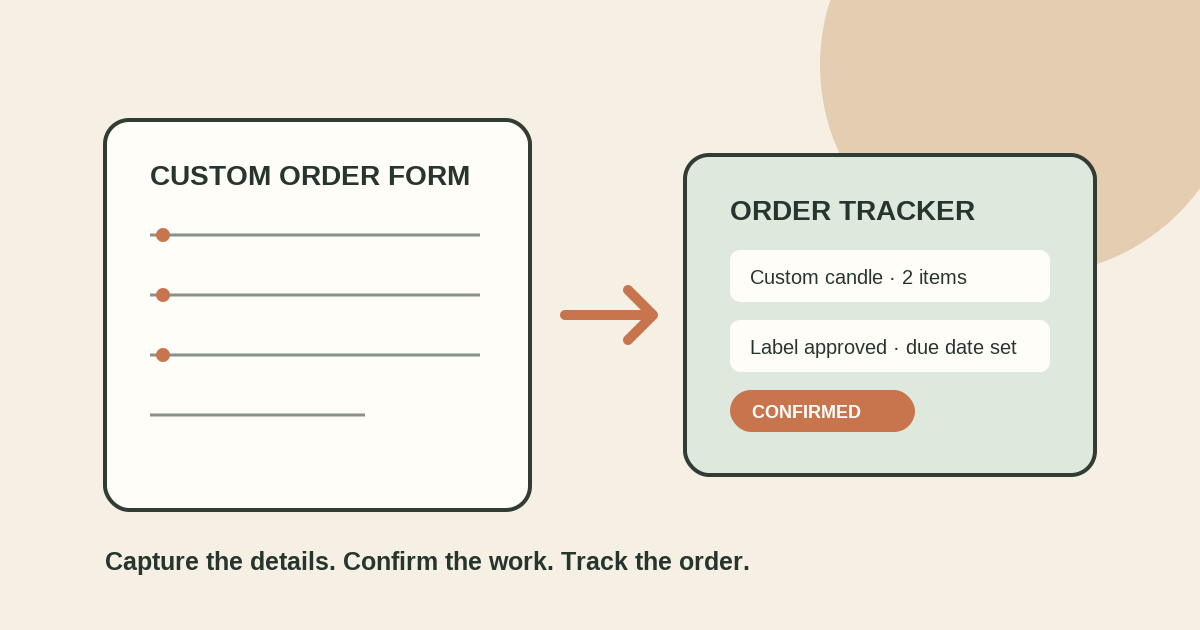
A good custom order form asks the questions that change what you will make, charge, or deliver. Capture the request once, confirm the details in writing, and move the accepted order into a tracker. The form gathers the customer's choices; the tracker helps you follow the work.
A custom order form is an intake record for a customer's requested item, choices, timing, and delivery. An order tracker is the working record for requests you have reviewed and accepted.
For a maker taking a custom candle request, the key details may be scent, jar, quantity, label text, needed-by date, and pickup or shipping. A form that asks only for a name and “what would you like?” leaves the important decisions for a string of messages later.
This guide gives you ten questions to adapt, explains which answers belong in a tracker, and shows a fictional example. Use only fields that fit your product and process.
A custom order form at a glance
| Ask about | Capture | Why it matters |
|---|---|---|
| Customer | Name and a reply method | Lets you confirm the request |
| Item | Product, quantity, size, or version | Defines the work |
| Choices | Color, material, scent, wording, or other options | Prevents guessing |
| Reference | File or link, if needed | Gives you the customer's source details |
| Timing | Needed-by date and flexibility | Sets a realistic schedule |
| Fulfillment | Shipping, delivery, or pickup | Determines the handoff |
| Price | Quote, deposit, balance, and due dates | Makes the agreement visible |
| Approval | Confirmation of the final specification | Gives both sides a shared record |
Treat the form as a starting point, not an automatic order acceptance. Review the answers, check your capacity and costs, and confirm the final terms before you begin.
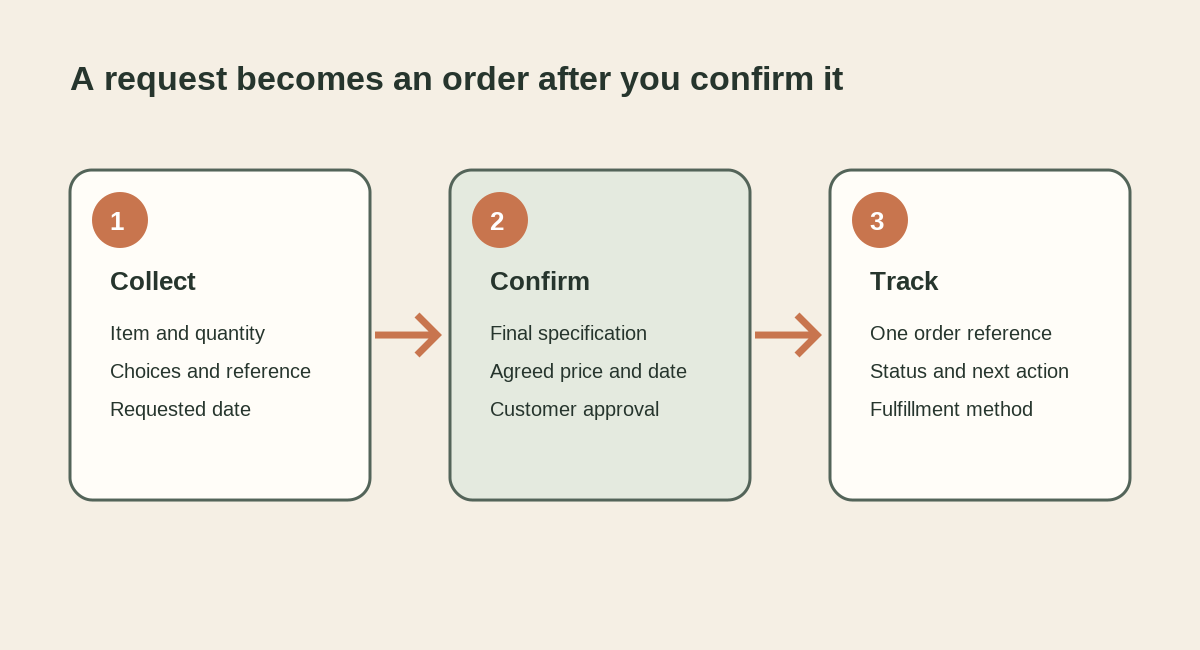
The sequence is simple: collect the request, agree on the details, then track the accepted work. If a customer changes an option after approval, update the specification and get confirmation again. That keeps an old message from quietly becoming the source of truth.
The 10 questions to put on your order form
1. Who is placing the order, and how can you reply?
Ask for the customer's name and one preferred reply method. An email address or phone number is usually enough for a small order. Avoid collecting personal details that do not help you discuss or fulfill the request.
If you take orders in person, ask whether the customer wants a receipt or follow-up. Keep customer details private and limit access to the people who need them. The FTC's business guide to protecting personal information explains why businesses should collect only what they need and protect what they keep.
2. What item are they ordering?
Use a product name or a short description that maps to something you can make. If you offer several sizes or styles, present them as clear options instead of leaving a blank box. A customer might write “blue mug,” while you need to know which size and finish that means.
Form field: Item or design requested.
3. How many do they need?
Ask for a quantity and, when relevant, whether each piece is identical. Ten matching labels are a different job from ten labels with different names. Make the distinction explicit so the quantity does not hide extra setup work.
4. Which options or personalization should you use?
List the choices that affect the finished item. Depending on your work, that might include color, material, scent, dimensions, engraving, or a short message. Add limits where a choice is constrained, such as a character limit for a label.
Do not promise an option until you know you can source and produce it. A form can say “request” rather than “guaranteed” when you need to check availability first.
5. Is there a reference file or example?
Ask for a reference only when it will help you understand the request. Provide a file upload or link field if your form tool supports it. Tell customers what file types you can use and ask them to confirm they have permission to share any image or design they upload.
If the reference is a photo, record what it is meant to show: a color, layout, size, or general style. A reference image does not always mean you can reproduce every detail exactly.
For example, a customer may send a photo of a gift box and ask for “the same look.” Ask which parts matter: the label color, the ribbon, the arrangement, or the overall mood. Record the confirmed choices, then explain which parts you can provide. You can then price the agreed choices instead of guessing what “the same look” means.
6. When do they need the order?
Ask for a needed-by date, then review it against your workload and materials. Make clear that a requested date is not confirmed until you accept the order. If timing is flexible, give the customer a way to say so.
This answer becomes a useful date in your order tracker, but it should not be treated as a promise before you confirm it.
7. How should they receive it?
Offer only the methods you can support: shipping, local delivery, or pickup. For shipping, collect the address after you decide it is needed and explain when the final cost will be confirmed. For pickup, state how you will arrange the handoff.
Do not request card numbers or security codes in a form or spreadsheet. Use a payment provider's secure checkout when you need to take a card payment.
8. What is the price and payment arrangement?
If the order needs a quote, label the first amount as an estimate. State what it covers, what could change it, and when you will confirm the final price. If you take a deposit or split payment, show the amount and due date for each part.
For example, a custom label might need a different price if the customer changes the wording after approving the proof. Write that condition in plain language before accepting the job. Avoid vague terms such as “extra fees may apply” without explaining what triggers them.
9. What should happen if a detail is unavailable?
Give customers a way to choose a fallback or ask you to contact them before you substitute anything. This is useful when a material or color may run out. Do not assume that a close alternative is acceptable for a personalized order.
Form field: “If my first choice is unavailable, please…” with options to contact me, use the listed alternative, or cancel the request.
10. Can they confirm the final specification?
Before production, send a concise summary of the item, quantity, options, price, date, and fulfillment method. Ask the customer to confirm it. Keep that approval with the order record, especially if the details changed during the conversation.
The order form examples from Jotform and Canva's form templates can help you compare layouts. Use them for layout ideas; adapt the fields to your own products and terms.
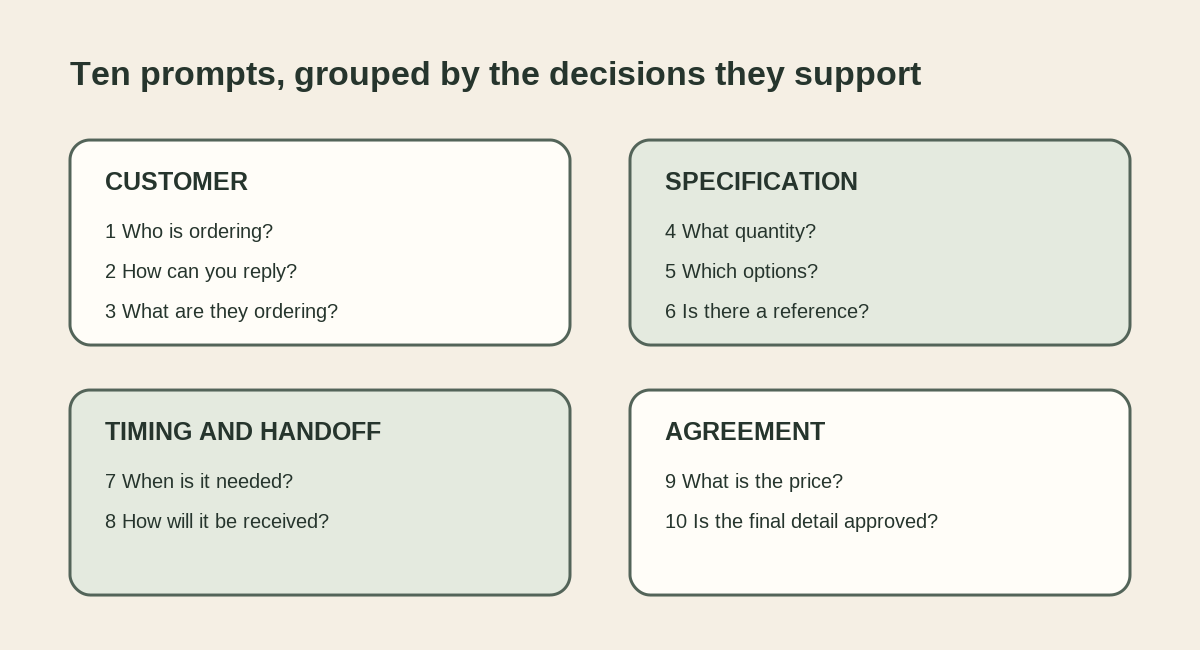
The list is intentionally specific to custom work. A ready-made item may need only a product choice, quantity, and delivery method. A personalized item needs a record of the choices that make it different, plus a check that the customer approved those details.
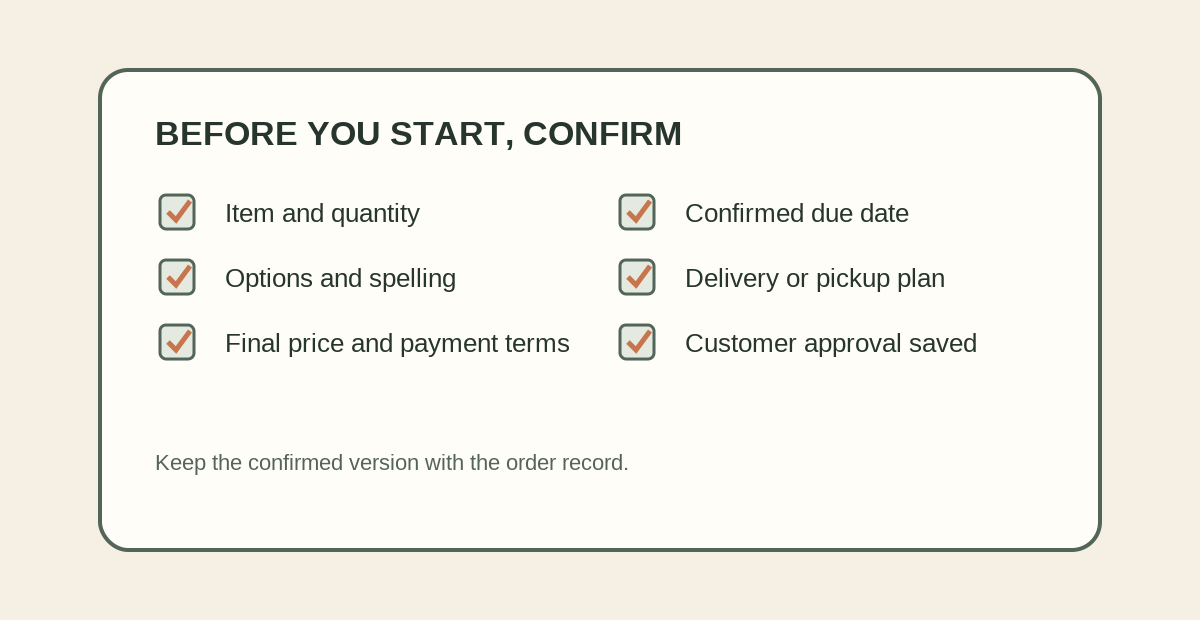
Move accepted answers into an order tracker
The form collects the request. Once you review and accept it, create one row in your order tracker with a unique order reference. Copy over only what you need to manage the work: customer name, item, quantity, options, confirmed price, needed-by date, fulfillment method, and current status.
| Form answer | Tracker field | Example status use |
|---|---|---|
| Item and quantity | Order summary | Identify what to make |
| Confirmed choices | Specifications | Check while making |
| Needed-by date | Due date | Review upcoming work |
| Price and payment notes | Amount / payment note | See what remains to follow up |
| Delivery choice | Fulfillment note | Prepare the handoff |
| Customer approval | Confirmation reference | Resolve questions later |
Keep payment processing and fulfillment status separate. A “paid” note does not mean an order is packed, and “shipped” does not prove a carrier has delivered it. The tracker records your workflow; payment records and carrier updates come from their own sources.
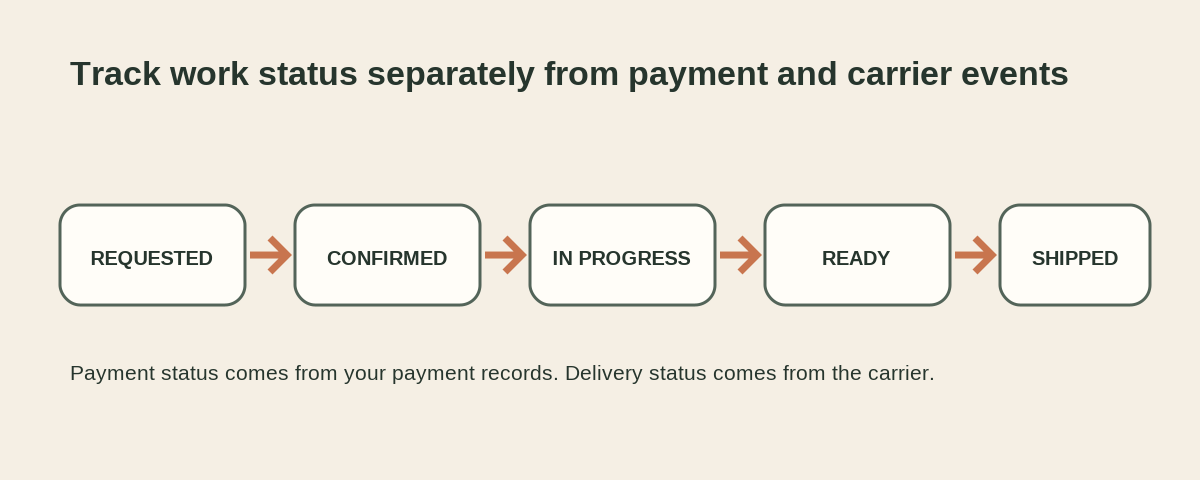
Small Business Bundle includes an Orders & Customers Log with tabs for order and customer records. Its order tracker spreadsheet guide explains a simple status flow. The bundle does not collect customer requests online or process payments. You can use the log after you have agreed on the order.
If pricing is still open, keep the quote separate from the confirmed amount until the customer approves it. The Price Setter in Small Business Bundle can help you check your own product costs before you quote a custom job. The file does not create a customer quote or accept an order for you.
Test the form with one fictional order
Before sharing your form, fill it in with a made-up request. Imagine a customer wants two gift candles, one with a custom label, for a date you have not confirmed yet. Check whether the answers tell you:
- which candle and scent they want;
- whether the two items match;
- the exact label wording and who approved it;
- the requested date and whether you accepted it;
- the price, delivery method, and any unanswered question.
Here is a fictional example of the information after review. It is a workflow illustration, not a real customer order.
| Record field | Example entry | Review point |
|---|---|---|
| Item | Gift candle, two units | Confirm jar and scent |
| Custom detail | One label says “Thank you, Sam” | Check spelling with the customer |
| Needed by | November 20, requested | Confirm capacity before accepting |
| Fulfillment | Local pickup requested | Agree on a pickup window |
| Price | Quote pending | Calculate costs before confirming |
| Status | Requested | Change to confirmed only after approval |
Mark the date as requested until you confirm you can meet it. Keep the quote separate from the agreed price until the customer accepts it.
If you cannot quote or plan the job from those answers, add or clarify a field. If a question does not change the quote, production, timing, or handoff, consider removing it. A shorter form is easier to finish and easier for you to review.
Where Small Business Bundle fits
An order form and an order tracker solve different parts of the work. The form gathers the customer's choices. A tracker gives you a place to review accepted orders and follow their status. If your current process spreads details across messages and notes, Small Business Bundle's Orders & Customers Log can keep an order record with the rest of the paperwork in one spreadsheet file.
It is a spreadsheet bundle for Excel 365 and Google Sheets, not an online form builder, CRM, payment processor, or store platform. Use the tool that fits how customers place orders, then record the accepted work in a way you can maintain. See the Small Business Bundle contents and compare them with the tasks you need to handle.
Why trust this article
This article was prepared by the Small Business Bundle team. The form fields are practical prompts, not a legal checklist or a promise that every order can be accepted. We checked the Federal Trade Commission guidance on personal information on November 9, 2026. Adapt the questions to your product, local rules, and the way you take payment. Small Business Bundle is our product. Read our about page for company details and editorial policy for how we check posts.
Frequently asked questions
What should a custom order form include?
Include the customer's contact details, the item and quantity, options or personalization, reference files, the amount and payment terms, the needed-by date, delivery or pickup details, and a confirmation of the final specification. Ask only for information you need to make and fulfill the order.
How do I make an order form template?
Start with the questions that change the work: what the customer wants, how many, which options, when they need it, and how they will receive it. Add contact and payment fields, test the form with a sample order, and remove questions that do not help you quote or fulfill it.
How do I avoid mistakes on custom orders?
Repeat the important choices in a written confirmation before you begin. Confirm spelling, dimensions, colors, quantity, price, due date, and delivery method. Keep the confirmation with the order record so you can check it while making and packing the item.
What is the difference between an order form and an order tracker?
An order form collects what the customer asks for. An order tracker helps you manage accepted orders as work moves forward. The form is the intake; the tracker is the working record for status, dates, payment notes, and next actions.
Can a spreadsheet be used as an order form?
Yes, if the fields are easy to complete and the customer can return it safely. For multiple customers or private details, limit access and avoid putting payment card information in a spreadsheet. A spreadsheet form does not process payments or replace a secure checkout.
What is the fastest way to start tracking custom orders?
Use one form to capture the request, review it, send a written confirmation, then create one tracker row only after you agree to the order. Give that row a unique reference and update its status as work progresses.
Sources
Keep reading
Orders and Customers
Order Tracker Spreadsheet: From New Order to Shipped
Order tracker spreadsheet: use clear status steps, one row per order, and a quick end-of-day check to keep customer requests from slipping through.
· 7 min read

Orders and Customers
CRM Spreadsheet: A Customer Tracker for a Small Business
CRM spreadsheet: track customer details, orders, last contact, and a useful next step in one place. Learn the fields, workflow, and signs you need an app.
· 8 min read
