Etsy Spreadsheet Template: Track Fees and Profit per Listing
Etsy spreadsheet template: the order log columns that show fees and profit per listing, with two orders worked through by hand at $30 and $11.
By Small Business Bundle by Cosmo Suite · Editorial policy
Published · 10 min read

An Etsy spreadsheet template is a spreadsheet with one row per order and a column for every fee Etsy charges, so a profit column can subtract them. That is the number the dashboard hides: what you kept after fees, materials and postage.
Most sellers learn this the hard way. They open a spreadsheet, type Date, Item and Amount, and stop after a month, because the Amount column is not what lands in the bank. An $11 order that pays out $9.50 and costs $4.90 to make and post is not an $11 order.
An Etsy spreadsheet template earns its place when it is a fee log rather than an order list. Below is the column list, the formula behind each fee, and two orders worked through it.
What an Etsy spreadsheet template needs that a plain order list does not
It needs five fee columns, a unit cost column and a profit column. Without them a sheet records what buyers paid and nothing about what the order cost, so it shows which listing is busy, not which one earns.
The fees are charged on more than the item price. Etsy's transaction fee and its payment processing fee both apply to the shipping you charge, so a $24 item with $6 of shipping carries fees calculated on $30. A sheet with one Amount column hides that.
Unit cost lives somewhere else. The wax, the jar and your own time never appear on an Etsy order page. Type the cost in once per listing and profit becomes a real number instead of revenue minus fees.
Profit is the only column that ranks listings. Revenue says which listing sells. Profit says which one is worth the shelf space and the relisting fee.
On paper the difference looks like this. Every figure was calculated by hand from Etsy's published US rates. The $30 order gives up 11.0% of its total to fees, and the $11 order gives up 13.6%. An ad order pays 15% on top, or 12% for a shop at or above $10,000 in trailing sales (rates read 21 Nov 2026). It is an arithmetic example built for this article, not real seller data.
| Candle, 8 oz | Sticker pack | |
|---|---|---|
| Item price | $24.00 | $9.00 |
| Shipping charged | $6.00 | $2.00 |
| Order total | $30.00 | $11.00 |
| Listing fee | $0.20 | $0.20 |
| Transaction fee (6.5%) | $1.95 | $0.72 |
| Processing (3% plus $0.25) | $1.15 | $0.58 |
| Fees | $3.30 | $1.50 |
| Fee share of order | 11.0% | 13.6% |
| Net after fees | $26.70 | $9.50 |
| Unit cost (from the pricing tab) | $9.40 | $3.10 |
| Postage actually paid | $5.20 | $1.80 |
| Profit on this listing | $12.10 | $4.60 |
| Same order via Offsite Ads (15%) | $7.60 | $2.95 |
The sticker pack looks like $11 of income and is $4.60 of profit, and no column on the Etsy order page says so. If you would rather not build the columns yourself, a spreadsheet where each order carries its own fee and cost columns comes with them already linked.

The columns: an Etsy order log at a glance
An Etsy order tracker spreadsheet needs eleven columns, and the last four are the ones a free template usually leaves out.
| Column | What goes in it | Why it earns its place |
|---|---|---|
| Date / order ID | The day the order was placed and Etsy's order number | Groups the month for the roll-up below, and finds the order again if it is refunded |
| Listing | The listing name, exactly as it appears in Etsy | The field you sort and total on when you rank listings |
| Units | How many the buyer ordered | A three-pack carries the same fees as a single and three times the cost |
| Order total | Item price plus shipping charged | The base the transaction and processing fees are calculated on |
| Listing fee | $0.20 | A fixed charge that does not shrink with price |
| Transaction fee | 6.5% of the order total | Includes shipping, which is why shipping is not free money |
| Processing fee | 3% of the order total plus $0.25, in the US | The $0.25 is fixed and the rate depends on your bank country |
| Offsite Ads fee | 15% or 12% of the order total, on ad-attributed orders only | The biggest single fee on the order it touches, and easy to miss |
| Fee share | Fees divided by the order total | Shows that a cheap order gives up a bigger share than an expensive one |
| Unit cost | Pulled from your pricing tab | Without it, profit is only revenue minus fees |
| Profit | Order total minus fees, unit cost and postage paid | The only column that ranks listings |
Fee share is the fees divided by the order total, and it is the column that puts a cheap order next to an expensive one, such as the $11 sticker pack against the $30 candle. Type the order once. The fee share and profit columns are formulas, so they update when a fee rate changes. The four columns that separate this from a free download are the Offsite Ads fee, fee share, unit cost and profit.
Filling in the fees, line by line
Every fee on an Etsy fees spreadsheet is a rate multiplied by a base, plus two fixed charges. Get the base right and the columns fill themselves.
The listing fee: $0.20, charged whether or not the item sells
The listing fee is $0.20, charged when you publish or renew a listing, according to Etsy's fee help page. A listing runs for four months, and a multi-quantity listing can add $0.20 for each extra quantity sold, for example a three-pack sold as one order, both per Etsy's listing fee help. The base is one listing rather than one order, so the log allocates the $0.20 to the order it belongs to and the listing name still carries it in the roll-up.
Use it when: you renew listings on a schedule and want the renewals counted against the listing that carries them.
The transaction fee: 6.5% of the order total, shipping included
The transaction fee is 6.5% of the order total, and the order total includes the shipping and gift wrap you charge. On a $30 order that is $1.95. Figures here are rounded to the nearest cent. The gotcha is the base: sellers who calculate 6.5% of the item price alone understate the fee on every order that carries shipping. Etsy sets out the base in its Fees and Payments Policy.
Use it when: your shipping charge is more than a token amount, which is most physical products.
Payment processing: 3% plus $0.25 in the US
Payment processing is 3% of the order total plus $0.25 per order for a US Etsy Payments account, which is $1.15 on a $30 order. The rate depends on the country of your bank account, so a shop banking outside the US should use its own row on Etsy's country fee table. The $0.25 does not scale with price.
Use it when: you sell to buyers abroad, or your shop is not based in the US.
Offsite Ads: 15% or 12%, on the orders that came through an ad
The Offsite Ads fee applies only to an order Etsy attributes to an ad, as set out on Etsy's Offsite Ads fee page. The rate is 15% for shops below $10,000 in Etsy sales over the previous 365 days and 12% at or above that level, capped at $100 per order. On a $30 order at 15% it is $4.50, more than the other three fees combined. Not every order carries it, so give it its own column.
Use it when: your shop is opted in to Offsite Ads and you want to see what an ad order actually leaves.
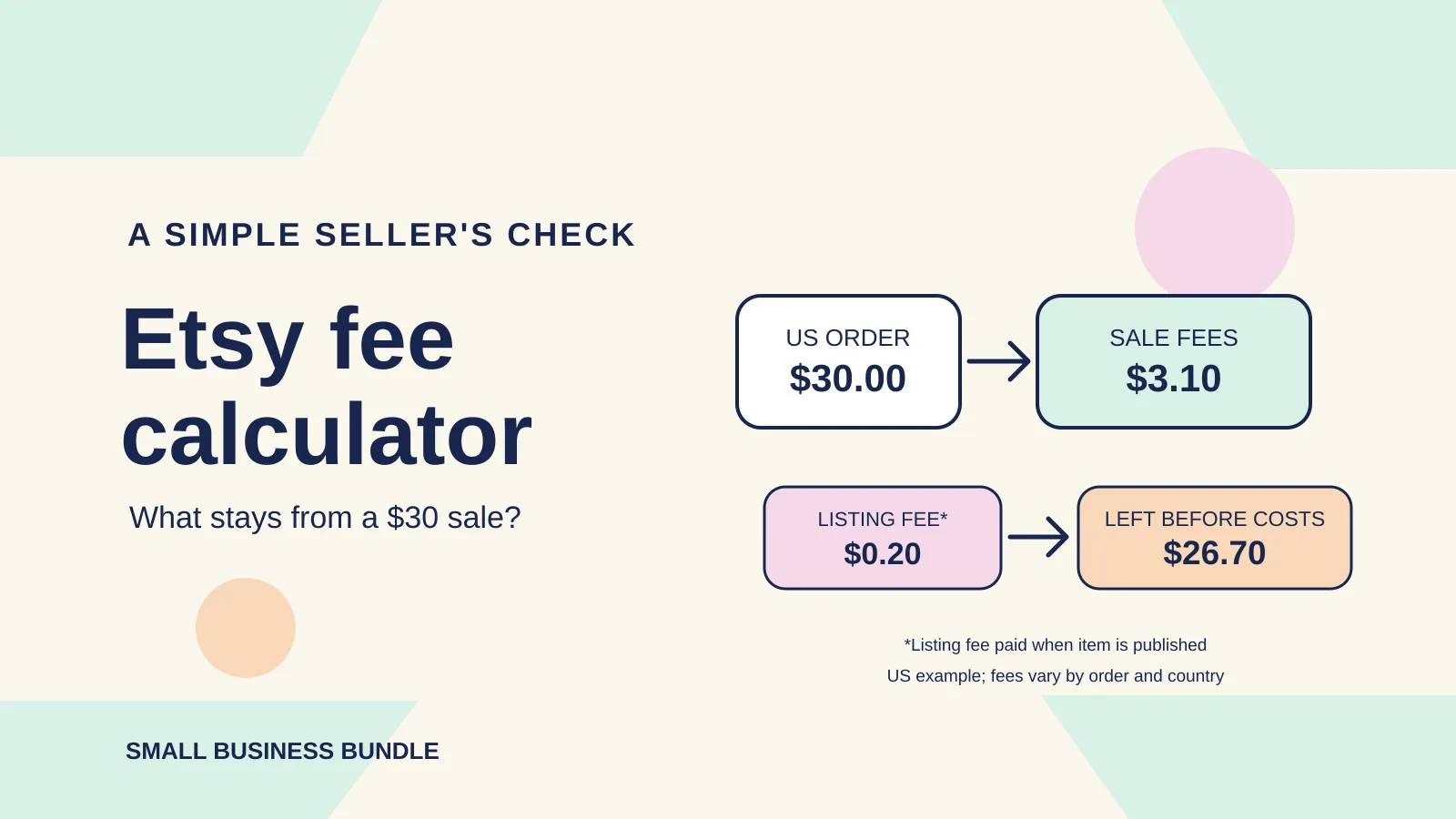
The full fee breakdown for a $30 order, with each line and the country variations, is in our Etsy fee calculator post.

Two orders through the same log
The sticker pack gives up 13.6% of its $11 order to fees, against 11.0% on the candle's $30 order, so the cheap listing keeps the smaller share. Start with that column. The percentage fees shrink with the order, but the $0.20 listing fee and the $0.25 processing charge do not, so they weigh more heavily on a cheap item. A shop that prices everything to the same margin will find the cheap half of its catalog earning less than it looks.
Next, shipping. The candle buyer pays $6.00 of shipping and the label costs $5.20, so shipping contributes $0.80 before fees and less after them, because both percentage fees are calculated on the shipping too. Treat the shipping charge as a pass-through and let the postage row carry the real cost.
Last, the Offsite Ads column. On the candle, an ad order still leaves $7.60, which is worth having. On the sticker pack it leaves $2.95, so the same ad fee takes more than a third of the profit on a cheap listing. Check whether Etsy attributed an order to an ad before you close the row, because the fee lands later in the month.

Ranking your listings by profit
Collapse the log to one row per listing per month, then sort by profit rather than revenue. An Etsy profit tracker built this way answers the question sellers ask in every forum thread, which of my listings actually makes money, because the answer is a column instead of a guess.
The mechanical part takes one formula. Use a pivot table with the listing name as the row and profit as the value, or a SUMIF on the listing name to keep it in one sheet. The unit cost changes only when a material or a supplier changes, so it is typed once per listing.
Profit per listing is one listing's orders for a month, minus fees, minus units multiplied by unit cost, minus postage. Then read the ranking in three groups:
- Negative or near-zero profit: a candidate to kill, reprice or bundle.
- Solid profit but a fee share well above the shop average: a candidate for a price change, because the fixed charges are eating it.
- High profit and steady volume: the one to photograph again and keep stocked.
The unit cost itself comes from elsewhere. If you have never added up materials, labor and equipment for an item, how the unit cost is built walks through it, and that number feeds this column.
The part most Etsy spreadsheets leave out
Most Etsy bookkeeping spreadsheets store rows. These four habits make the rows answer questions.
Fee share, not fee total. A $3.30 fee sounds small next to a $30 order and a $1.50 fee sounds smaller next to an $11 order, yet the $1.50 is the heavier one. Keep the share column and the comparison becomes automatic.
The fixed charges punish cheap items. The listing fee and the processing charge are the same on a $9 item as on a $24 one. A shop full of small items can look busy and still leave little at the end of the month.
Shipping is not income. Both percentage fees are calculated on the shipping you charge, and the label costs you money. A profit column that adds the shipping charge and forgets the postage is wrong by the cost of the label on every order.
An unlogged refund breaks the month. A refund reverses the sale, but Etsy's fees and your postage do not all come back. Log the refund as its own row with its own fee figures, so the month's totals stay true.
The columns that make all four visible are in the bundle's order and pricing tabs, linked at the end of this post, already set up so the fee share and profit update as you type.
Why Trust This Article
We are the Cosmo Suite team behind Small Business Bundle, and the Order & Customers Log and Price Setter tabs described below are our own. The fee rates were checked on 21 November 2026 against Etsy's fee help page, its Payments processing table and its Fees and Payments Policy, all linked above. The methodology behind every figure is the same: take the rate from Etsy's page, multiply it by the base the fee applies to, and redo the sum by hand. The worked table is an arithmetic example, not a record from a seller's shop. Fees vary by country and they change, so verify the current rates in your own Etsy account before you rely on them. Our editorial rule is that every number on the page traces to a named source, and this one traces to Etsy's own pages. Read more on our about page or our contact details.
How Small Business Bundle Handles This
The bottleneck is that orders sit in Etsy and costs sit in your head, so profit is never on one screen. Small Business Bundle is four linked spreadsheets for Excel 365 and Google Sheets, sold as one one-time download. It does not connect to Etsy and it does not import orders, so you paste or type each order and the fee and profit columns do the arithmetic.
The Orders & Customers Log has 9 tabs. It covers an order overview dashboard, best seller and top customer views, a customer financial snapshot, month-by-month performance, and a customer information tracker. It also carries received versus receivable charts, raw-material and finished-product inventory with reorder points, and an invoice that fills from the order. The Price Setter has 3 tabs and up to 5 pricing methods, covering materials, labor, equipment and other costs, then the selling price, net price and real profit. The Bookkeeping Ledger has 13 tabs and the Bill Due Calendar has 4.
If you want a ready-made Etsy order log rather than eleven columns and five formulas built by hand, that is what the download is. It is a file you own, not a subscription, and a month of Etsy's order export can be pasted into it rather than retyped. The five-tab version of this file shows how the order, customer, invoice, pricing and mileage tabs fit together in the wider workbook. Etsy, Excel and Google Sheets are trademarks of their owners, and we are not affiliated with any of them.
Frequently asked questions
What should an Etsy spreadsheet include?
Five column groups: the order (date, order ID, listing, units), what the buyer paid (item price and shipping), each fee Etsy takes, your unit cost, and the profit left. The fee and cost columns are the ones that turn revenue into profit, and a plain order list has neither.
Is there a free Etsy spreadsheet template?
Yes, and most free ones list orders and total revenue. Check whether the file has a column per fee and a unit cost column. Without those two it cannot show profit per listing, which is the number that tells you what to keep selling.
Can a spreadsheet pull my Etsy orders automatically?
Not without an integration or an app. Etsy's order CSV download gets a month of orders into the sheet in one download, and after that you type the unit cost once per listing. A plain spreadsheet with no add-on cannot log in to your shop and fetch orders by itself.
How do I work out Etsy fees per order?
Rate multiplied by base for each fee, plus the fixed charges. In the US that is 6.5% transaction fee, 3% plus $0.25 payment processing, and a $0.20 listing fee, with the Offsite Ads fee on top if the order came through an ad (Etsy fee help, checked 2026). The full breakdown for a $30 order is in our fee calculator post.
How do I track profit per listing?
One row per listing per month. Total that listing's orders, subtract the fees, subtract units multiplied by unit cost, and subtract the postage you paid. Sort by the profit column and the listings that earn sit at the top, whatever their revenue.
Should I use Excel or Google Sheets?
Both work for this file, because the columns and formulas are the same. Google Sheets is easier to share and to open on a phone. Excel handles a larger log with less lag. Small Business Bundle ships both formats with the same tabs.
Sources
Keep reading
Selling Channels
Etsy Fee Calculator: What You Keep From a $30 Sale
Etsy fee calculator: see what a US seller keeps from a $30 order after listing, transaction and payment processing fees, then price the item with your costs.
· 8 min read
Selling Channels
Etsy SEO: A Simple Test Log for Makers
Etsy SEO test log: track one listing change, note your stats before and after, and learn what to check next without guessing what caused a sale.
· 7 min read
